
Print from your phone. Collect with a code.
PrintEG connects people to the print shop down the road. They upload a document, pay by UPI and get a 4-digit code. The shop types in the code and the pages come out — no queue at the counter, no pen drive, no files on anyone's WhatsApp.
Four steps from phone to paper
Scan the shop's QR
Every PrintEG shop has its own QR code and link. It opens the shop's page in the phone's browser, with nothing to install.
Upload and choose
PDFs or photos, one file or several. Pick colour or black and white, one side or both, copies and binding. The price updates as you go.
Pay by UPI
Pay with any UPI app or a card, through Zoho Payments. The order is confirmed as paid before a single page prints.
Collect with the code
A 4-digit order code and a PDF receipt arrive on the phone. Tell the shop the code, and they print it.
Everything a customer needs, in the browser
No app to download and no account to create. The shop's page opens on any phone and takes care of what usually happens across the counter — files, options, counting pages and taking payment.

- PDFs and photos
- Send PDF, JPG or PNG files. Several files are merged into one print job, in the order they were added.
- Locked PDFs
- Password-protected PDFs, like bank statements and hall tickets, are unlocked on the phone. The password never leaves it.
- Pages counted for you
- The page count is read from the file, with a preview before paying. No guessing, no arguing at the counter.
- Print options
- Colour or black and white, single or double-sided, one or two pages per sheet, and as many copies as needed.
- Binding
- Spiral, soft, calico and chart binding, priced by the shop and added to the same order.
- Blank A4 sheets
- Buy plain A4 sheets on their own, with no file to upload.
- Bulk rates
- Bigger jobs move to the shop's bulk rate automatically, and customers are told when a few more sheets would unlock the next one.
- Receipts and My Orders
- A receipt downloads after payment, and My Orders keeps every code, amount and status on the phone.
- Payments that don't get lost
- If the UPI app doesn't bring the customer back, PrintEG checks the payment itself and shows the code anyway.
- One tap next time
- Customers can add the shop's page to their home screen, under the shop's own name.
Your counter, without the crowd
Exam week, project submissions, the 9 a.m. rush. PrintEG takes ordering, file collection and payment off your counter, so the only thing left to do is print.
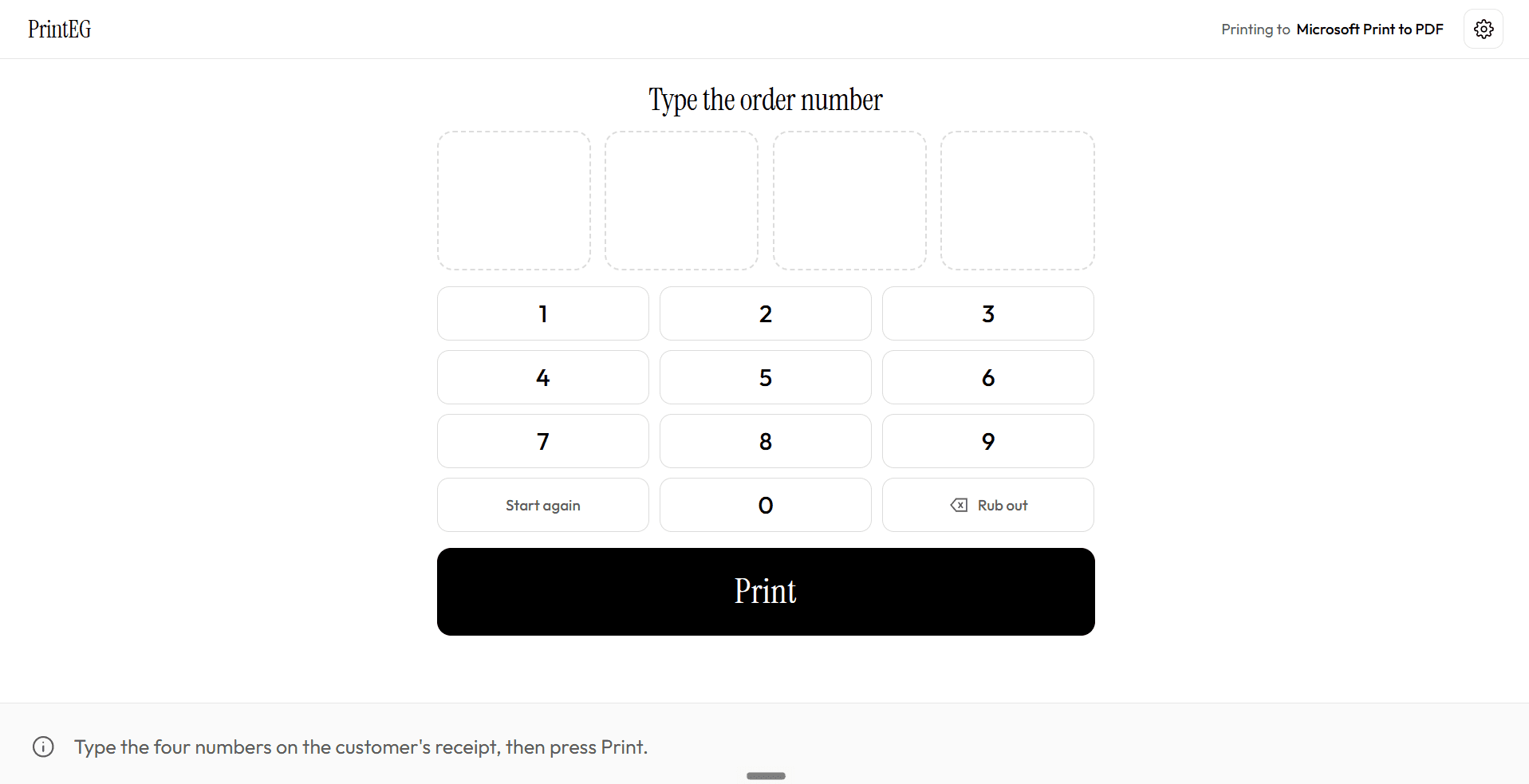
PrintEG Shop, on the Windows PC beside your printer. Type the four numbers on the customer's receipt, press Print, and hand over the pages.
Your own shop page
printeg.in/store/your-shop, with your shop's name and colour. Print its QR code and put it on the counter, the notice board or the college group.
Your prices
Set black and white, double-sided and colour rates, bulk slabs for each, binding prices and the A4 sheet price. Turn binding types on or off.
Paid before you print
Every order arrives paid. No change to hunt for, and no UPI screenshots to check during the rush.
No more files on your WhatsApp
Customers stop sending documents to your personal number. Files come in with the order, already merged and counted.
Type the code, press Print
PrintEG Shop runs on the Windows PC beside your printer. Enter the 4-digit code and the document prints — on the printers you already have.
Several printers, one screen
Run two or more printers at once. The screen shows which printer has which order and who is next, and logs every print, so “did 4847 print?” always has an answer.
Simple pricing, zero deductions
The shop sets the price of every page, binding and sheet. Every rupee of your counter price stays yours — we never take a cut from your printing rates.
You set all your rates
Full control over black and white, colour, double-sided rates, bulk discounts, and all binding types (spiral, soft, calico, chart).
100% of your rate stays yours
No hidden deductions or margin cuts. What you charge is what you receive for every page that prints.
Customer pays via UPI before print
Payment is confirmed digitally before the order is released. No unpaid prints, no counter queues, and no change to count during peak rush.
Tailored plans for your shop or campus
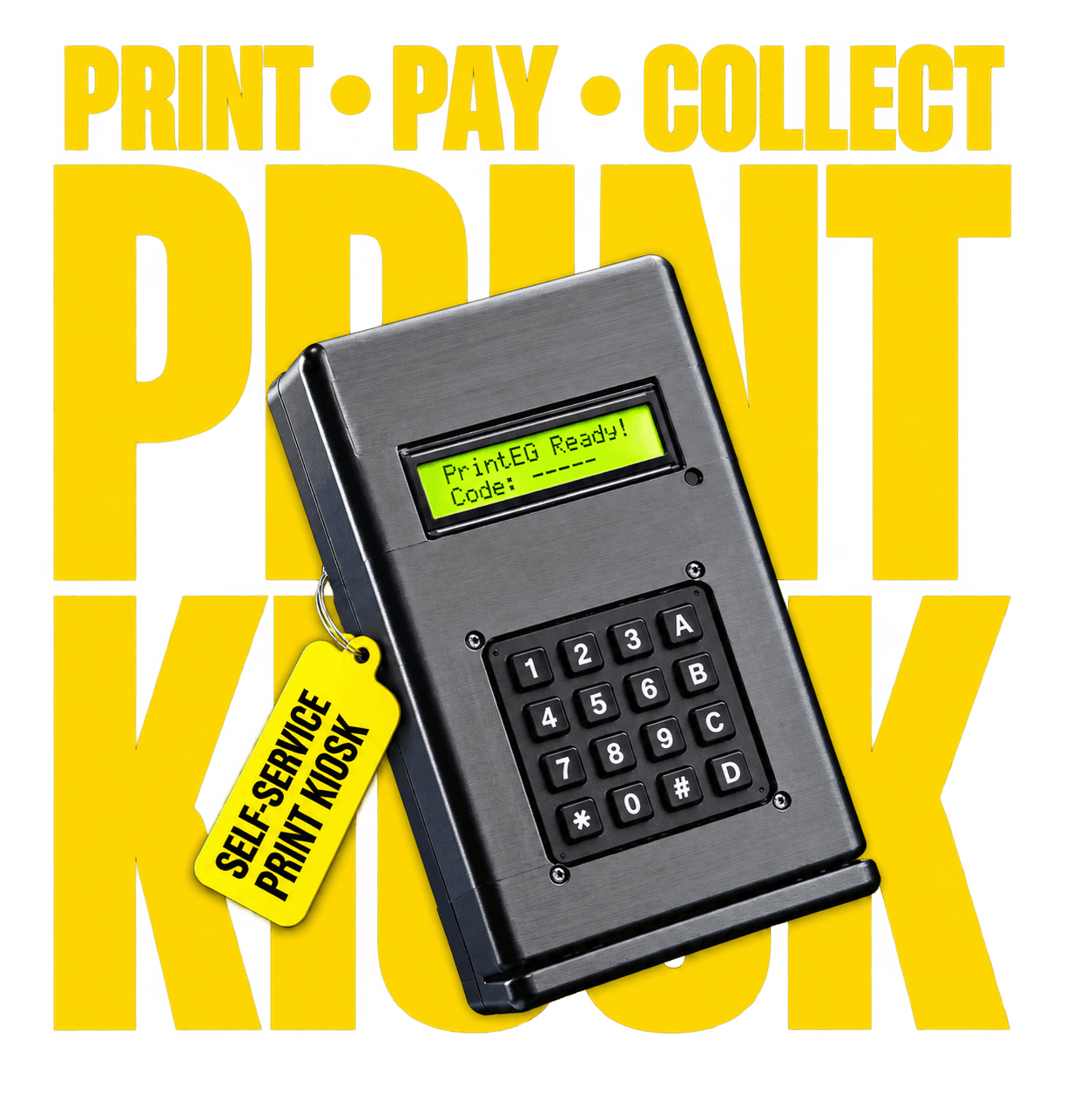
Every print shop, college centre, and Xerox counter is different. Whether you need our counter software for your existing printers or our dedicated self-service hardware kiosks, we provide comprehensive setup details and pricing directly.
Contact us for complete pricing details
Made for the places people print
Xerox and print shops
Serve the rush without a queue at the counter.
College print centres
Assignments, records and project reports during exam week.
Schools and libraries
Study material and forms, printed on request.
Offices and co-working spaces
A shared printer anyone can pay for from their phone.
Questions shop owners ask
Do my customers need to install an app?
No. Your shop page opens in any phone browser. Customers who print often can add it to their home screen.
Do I need a new printer?
No. PrintEG Shop prints to any printer your Windows PC can already print to, and it can drive several at once.
What files can customers send?
PDFs and photos (JPG and PNG). Several files merge into one print, and password-protected PDFs are unlocked on the customer's phone before upload.
How do customers pay, and when do I know?
They pay through Zoho Payments with any UPI app or a card. PrintEG Shop only prints an order once its payment is confirmed, so an unpaid code never comes out of your printer.
Can I charge less for big jobs?
Yes. Set page-count slabs separately for single-sided, double-sided and colour printing, and PrintEG applies the right rate as the customer builds the order.
How do order codes work?
Each order gets a 4-digit code that is unique within your shop. A paid code stays reserved until it is printed; a code that was never paid for is released after 20 minutes.
What if a print goes wrong?
Blank pages, the wrong paper size, a double charge, or an order that can't be fulfilled are refunded to the original payment method within 5–7 business days. Customers email the order code to request one.
Bring the printing ecosystem to your space
PrintEG is hardware-first. Our kiosk and counter hardware paired with software boosts the productivity of print shops, colleges, and every place people print. Get in touch — we'll set up your shop page, prices, QR code, and hardware.
Ramsee Ventures
PrintEG is a product of Ramsee Ventures,
Chennai, Tamil Nadu, India.